
Creating Songs with SUNO
Steps:
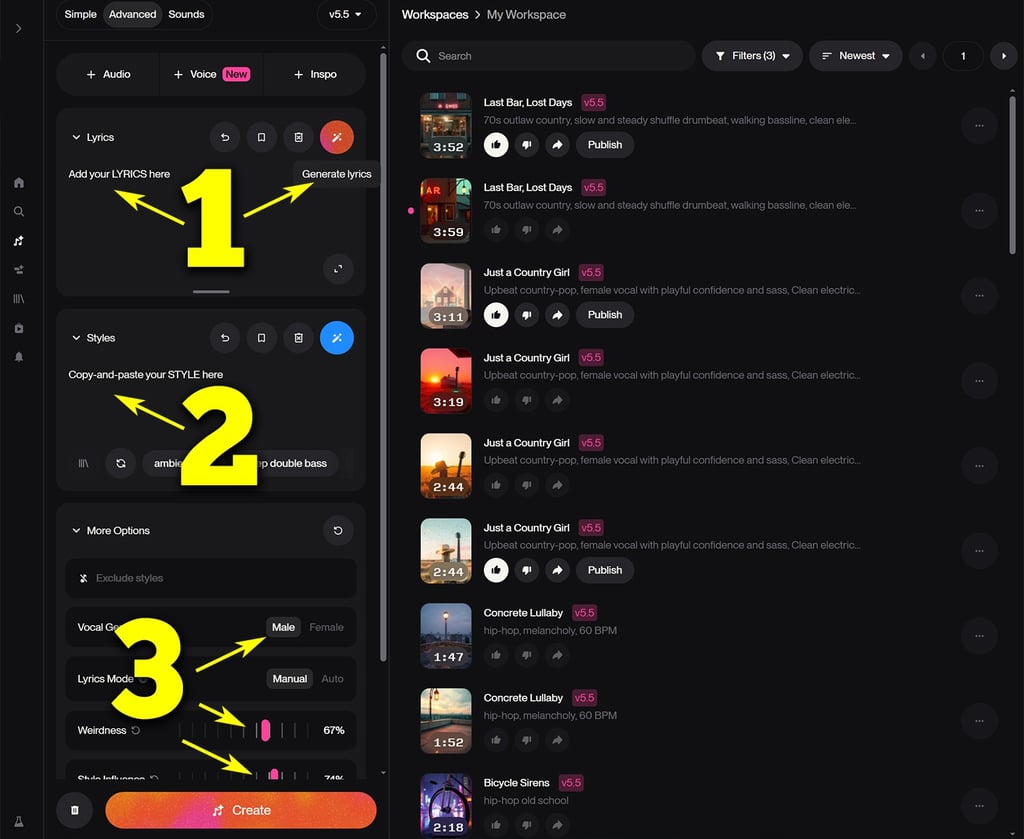
Copy-and-paste your LYRICS (generated earlier) or use Suno's own lyrics generator to create new lyrics. Suno's generator is okay, but you get better results using other AI - and it's better to then customize generated lyrics with your own mods and style.
Copy-and-paste your STYLE (generated earlier using our tutorials). Feel free to customize those style prompts as you wish and experiment with the generated results.
More Options: Select vocal gender. Set weirdness to between 50% and 80% (any higher sometimes generates mostly garbage). Set the style influence betwee 50% and 100%. These options generate different results based on your prompts.
Click on CREATE.
Results will be rendered in the WORKSPACE window.
You will see 2 tracks generate fairly quickly.
Steps:
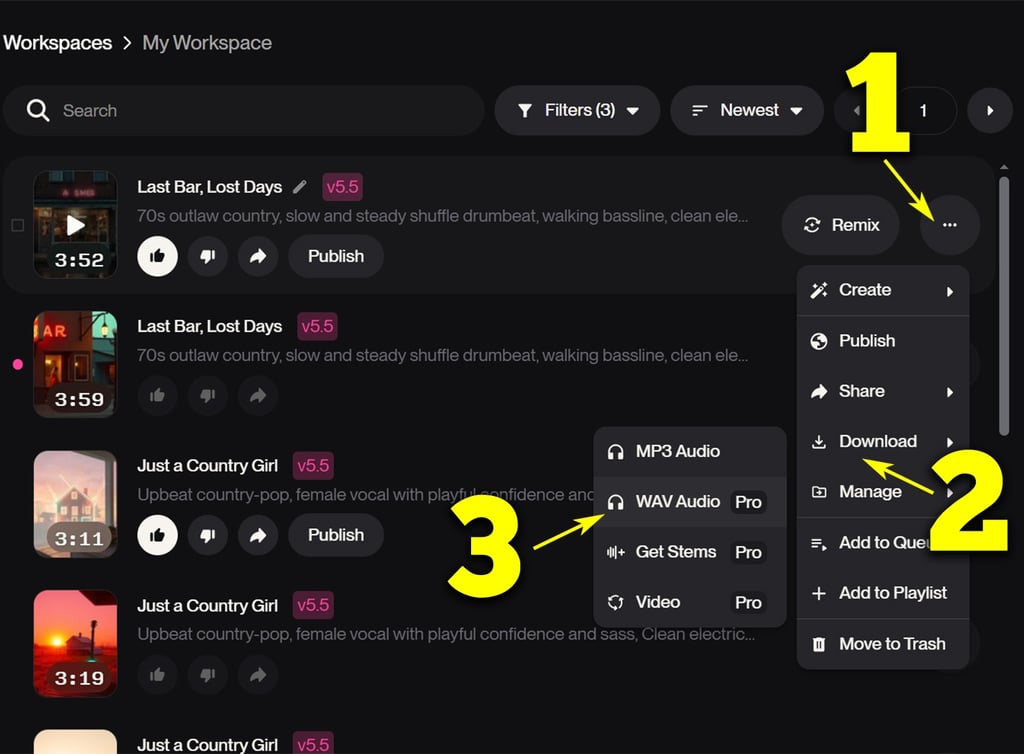
Click the '...' button.
Click DOWNLOAD.
Click WAVE Audio and save your track.
You're now almost ready for distribution.
Next step: MASTER your track (improve the audio quality)
© 2026. All rights reserved